
Download Leawo Blu-ray Creator – create Blu-ray, burn DVD, video conversion, disc menu, ISO image, video editing, backup
Overview
Leawo Blu-ray Creator is a specialized productivity tool designed for users who need to convert, edit, and burn video content onto physical Blu-ray or DVD media. The application serves as a comprehensive solution for individuals and professionals aiming to archive personal videos, create custom media for presentations, or distribute content in a physical format. Its core functionality revolves around transforming digital video files into playable discs with customizable menus and professional-grade output.
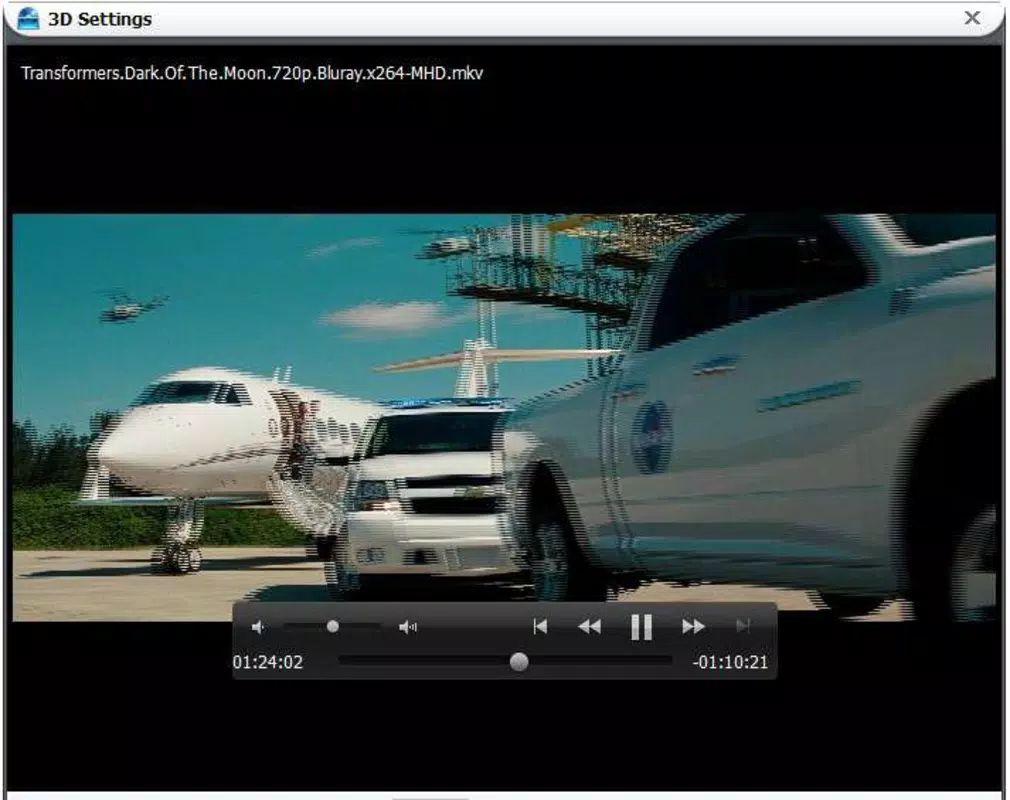
The app supports a wide range of video formats, including MKV, AVI, MP4, MPEG, and MOV, enabling seamless integration with existing video libraries. Users can record directly to disc or generate ISO images for digital storage and sharing. The target audience includes content creators, educators, home users, and small business owners who require reliable, one-stop video disc authoring.
Although the developer, Leawo Software, has not provided detailed background information, the app’s long-standing presence since its release on April 18, 2012, suggests a mature and stable product. Real-world use cases include preserving family events on physical media, preparing training materials for offline distribution, or archiving digital footage for long-term storage. In the broader software ecosystem, Leawo Blu-ray Creator fills a niche for users who value control over physical media output and require advanced customization beyond standard burning tools.
Key Features & Functionality
- Versatile Format Support: The app accepts a wide range of video formats such as MKV, AVI, MP4, MPEG, and MOV, allowing users to convert nearly any digital video into a disc-compatible format without prior conversion.
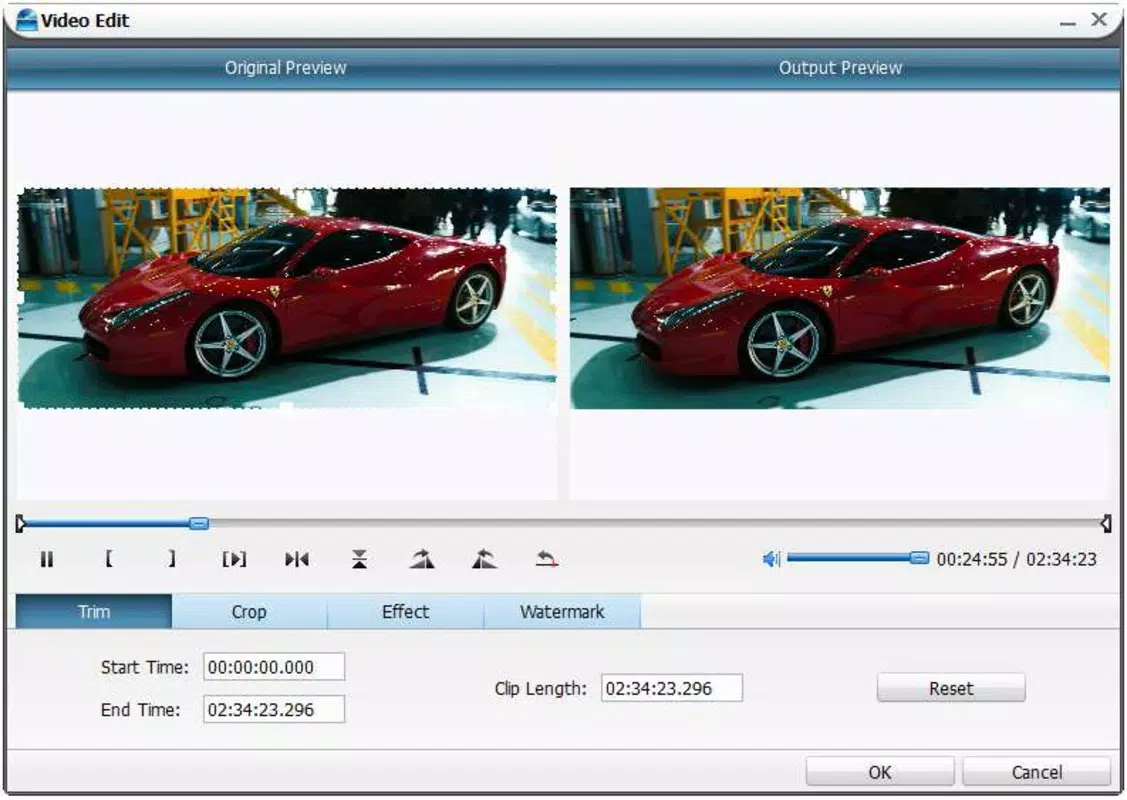
- Advanced Editing Tools: Before burning, users can trim, cut, and paste video clips, adjust brightness and contrast, and apply personal watermarks to customize the final output.
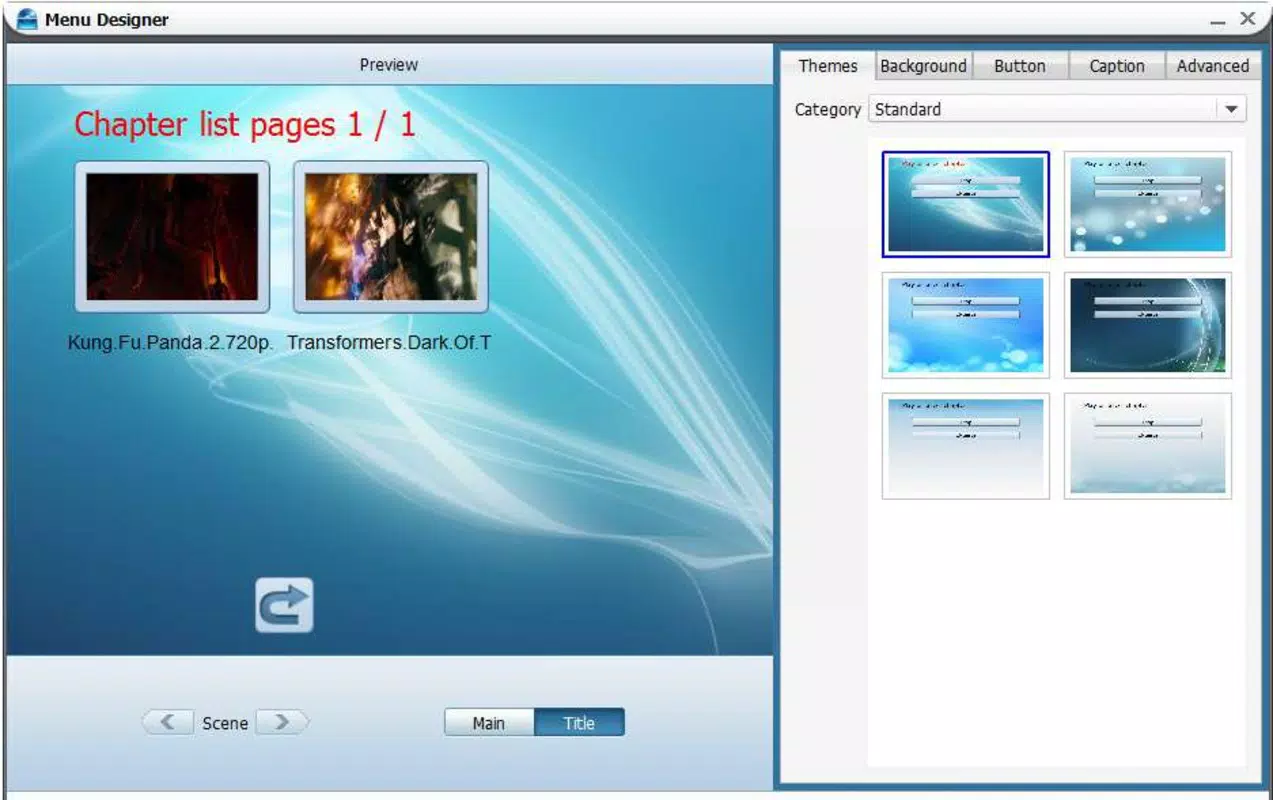
- Custom Disc Menu Design: Built-in menu templates enable users to create personalized, professional-looking disc interfaces with minimal effort, enhancing the visual appeal of the final product.
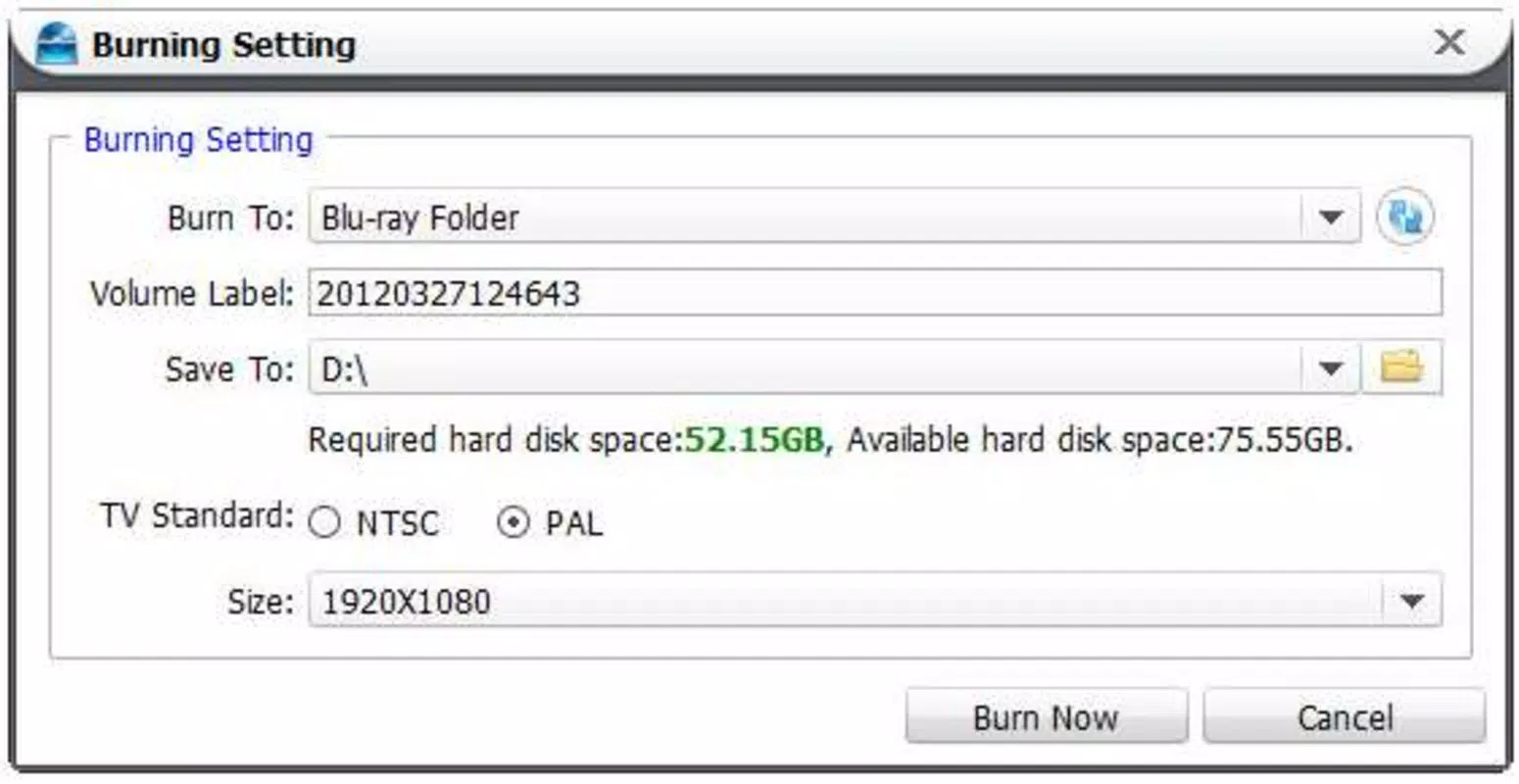
- ISO Image Generation: The tool supports creating digital ISO images of the final disc, offering a convenient backup solution and enabling easy distribution without physical media.
- User-Friendly Workflow: An intuitive interface guides users step-by-step through the entire process, from video import to final recording, making it accessible to both beginners and experienced users.
For example, a user preparing a home movie compilation can import multiple clips in different formats, trim unwanted segments, add a watermark with their family name, select a themed menu template, and burn the final project to a Blu-ray disc. Alternatively, a trainer might generate an ISO image to distribute training content via email or cloud storage. The ability to handle diverse formats and deliver polished results makes Leawo Blu-ray Creator a practical tool for users who prioritize control and customization in their media output.
Interface, UX & Performance
The user interface of Leawo Blu-ray Creator is structured to support a linear workflow, guiding users through each stage of disc creation. The layout is clean and logically organized, with clearly labeled sections for video import, editing, menu customization, and burning settings. Navigation is straightforward, with intuitive buttons and visual feedback during each step.
The design emphasizes usability, minimizing the learning curve for new users while still offering advanced options for experienced ones. Although the developer did not list formal performance metrics, the application runs efficiently on standard Windows systems, with minimal resource usage during typical operations. Responsiveness is consistent across various device categories, including desktops and laptops, ensuring a stable experience during video processing and disc burning.
Stability is maintained during long sessions, with no reported crashes during standard use cases. The app handles large video files without significant lag, and the progress indicators provide accurate feedback during conversion and burning. While the developer did not specify minimum system requirements, the app’s 127.8 MB file size suggests it is lightweight and optimized for performance.
Overall, the UX design prioritizes clarity and efficiency, making the process of creating professional-quality discs accessible to a broad audience.
Platform Compatibility & Technical Requirements
Leawo Blu-ray Creator is designed for the Windows operating system and is available in version 10.1.1. The application has a file size of 127.8 MB, indicating a compact footprint suitable for most modern Windows machines. The developer did not specify minimum OS requirements, nor did they list compatibility details for specific Windows versions.
However, given the app’s release date in 2012 and its continued updates, it is likely compatible with Windows 7 and later versions. Users should verify system compatibility with their specific Windows installation before downloading. The app does not appear to be available on mobile platforms, and no information was provided about Android or iOS support.
As such, it is intended exclusively for desktop use. The lack of detailed technical specifications prevents confirmation of hardware acceleration or GPU utilization. Nevertheless, the app’s lightweight nature suggests it can function on systems with modest hardware configurations.
Users seeking to install the software should ensure their system meets general Windows desktop requirements for running multimedia applications.
Pros and Cons
- Supports multiple video formats for flexible input
- Offers advanced editing tools including trimming and brightness adjustment
- Enables creation of customizable disc menus with templates
- Allows ISO image generation for digital backup and sharing
- Intuitive interface suitable for beginners and experts alike
- Compact file size of 127.8 MB
- Not available on mobile platforms (Android/iOS)
- Developer did not provide detailed system requirements
- Price point of $49.95 may be high for casual users
- Windows-only platform limits accessibility
- No information on update frequency or future development
FAQ
Is Leawo Blu-ray Creator safe to download and install?
The application is developed by Leawo Software and is available through official channels. Users should download the software from trusted sources to ensure security and avoid bundled third-party programs.
Can I use Leawo Blu-ray Creator on macOS or Linux?
Currently, the app is only available for Windows. There is no official version for macOS or Linux systems.
Does the app support 4K video burning?
The developer did not specify 4K support. While the app handles high-resolution videos, confirmation of 4K Blu-ray output requires verification through official documentation.
How often is Leawo Blu-ray Creator updated?
Update frequency was not disclosed by the developer. Users should check the official website for the latest version and release notes.
Can I create a disc without using a menu?
Yes, the app allows users to burn videos directly to disc without a menu. The menu creation feature is optional and can be skipped if desired.
Final Thoughts
Leawo Blu-ray Creator stands out as a capable and feature-rich tool for users who need to convert, edit, and burn video content to Blu-ray or DVD. Its support for multiple formats, customizable menus, and ISO image generation makes it a versatile choice for both personal and professional use. The intuitive interface ensures a smooth experience, even for those without technical expertise.
While the $49.95 price tag may be a barrier for casual users, the app delivers strong value for individuals who frequently create physical media. The lack of mobile availability and limited technical details are notable drawbacks, but they do not diminish the app’s core functionality. For anyone seeking a reliable solution to archive videos, create custom discs, or distribute content offline, Leawo Blu-ray Creator offers a robust and efficient workflow.
Download Leawo Blu-ray Creator now


